
CALL NOW: (888) 408-8704
CRM Software for Customs Brokers, Freight Forwarders & Bonded Warehouses
Keep Every Client, Prospect, and Conversation Organized in One Place.

EntryPoint AI sets up and configures a CRM designed for trade operations — giving you full visibility into your client base, pipeline, and communication history.
Most customs and freight businesses are managing client relationships across email inboxes, spreadsheets, sticky notes, and individual team members’ memories. When a prospect goes quiet after an initial inquiry, there’s no automated follow-up. When a client hasn’t shipped in 90 days, nobody knows to reach out.
What EntryPoint AI Does with Your CRM
Sets up and customizes your CRM for customs and freight workflows
Organizes leads, prospects, and active client accounts in one place
Automates follow-up sequences for new business inquiries
Tracks every conversation and client interaction
Triggers reminders for renewal outreach, check-ins, and reactivation of dormant accounts
Integrates with your AI receptionist and chatbot for seamless lead capture
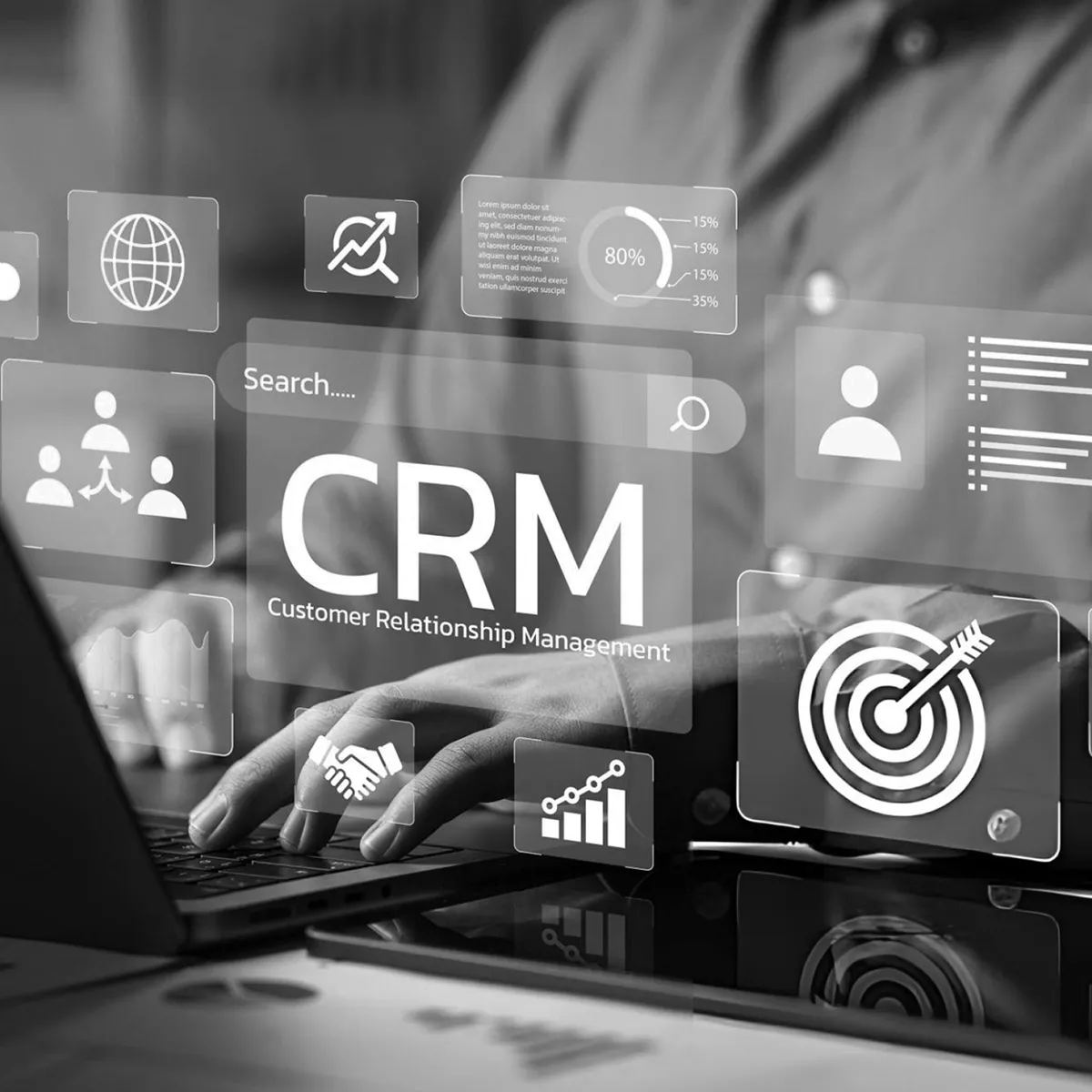
Nothing falls through the cracks. Every client is tracked. Every inquiry gets followed up. Every dormant account gets a reactivation touch.
Why Customs Brokers and Freight Forwarders Need a CRM — And What Happens Without One
Most customs brokerages and freight forwarding operations lose revenue not because they lack clients or expertise, but because their client management systems are informal. Inquiries come in through multiple channels, are tracked inconsistently, and follow-up depends entirely on individual team members remembering to do it.
Common client management gaps in customs and freight businesses:
• A new shipper inquiry comes in — the entry writer is processing files and the follow-up never happens
• A prospect requested a quote three weeks ago and nobody followed up after the initial response
• A client hasn’t shipped in 90 days but nobody has reached out to check in
• A dormant account that could be reactivated is buried in an email inbox from six months ago
• Two team members have both spoken to the same prospect and nobody knows what was discussed
• After a staff departure, all the relationship context for their client accounts walks out the door with them
A CRM configured for trade operations closes every one of these gaps — giving your team a single, organized view of every client relationship, every prospect conversation, and every follow-up that needs to happen.
The Advantages of a CRM for Customs Brokers and Freight Forwarders
1) Every Lead Gets Followed Up — Automatically
Most leads in a customs brokerage or freight forwarding operation aren’t lost because the prospect said no. They’re lost because nobody followed up consistently. A CRM gives every lead a status, a next step, and a reminder — so inquiries from shippers and importers don’t go cold because your team was busy processing entries or managing an exam situation.
2) Complete Client Relationship History in One Place
When a shipper calls about a new shipment, your team should be able to see every previous interaction — what commodities they’ve imported, what documents were required, what issues came up, what was quoted, and what was discussed last time. A CRM makes your operation look organized and professional regardless of which team member handles the call.
3) A Clear Pipeline — From New Inquiry to Active Account
A CRM turns your new business pipeline from informal to visible. You can see exactly how many shipper and importer inquiries came in this week, how many are in follow-up, how many are at the quoting stage, and where opportunities are getting stuck. That visibility is what makes improvement possible.
4) Stronger Client Retention Through Proactive Outreach
CRM automation monitors your existing client base and triggers outreach when it matters — when a client hasn’t shipped in 60 days, when a long-term account goes quiet, or when a seasonal shipper is approaching their typical import period. Proactive outreach from a CRM keeps client relationships active without requiring your team to manually track every account.
How a CRM Works for a Customs Brokerage or Freight Forwarding Operation
Contacts + Communication History
Your CRM stores every shipper, importer, carrier contact, and prospect in one organized database. For each contact, your team can see the company name, commodity types, trade lanes, shipment history, conversation notes, quoted rates, and communication history — regardless of which team member handled previous interactions.
name, phone, email
notes and preferences
message history and call logs (when connected)
tags and categories
Tasks, Reminders, and Follow-Up
CRMs make follow-up automatic by prompting:
call reminders
email follow-ups
text follow-ups
appointment confirmations
This reduces human error and keeps revenue moving.
Automated Follow-Up Sequences
The most valuable CRM function for a customs brokerage or freight forwarding operation is automated follow-up. After a new inquiry, a follow-up sequence activates automatically — sending a professional message if no response is received, then a second touch, then a final check-in. For dormant accounts, a reactivation sequence triggers at the right interval. No manual effort required from your team.
Pipeline Stages for Trade Workflows
EntryPoint AI configures your CRM pipeline specifically for customs and freight workflows. Typical stages for a customs brokerage include:
New Inquiry — shipper or importer has made first contact
Contacted — your team has responded
Qualifying — gathering commodity, volume, and lane details
Quote Sent — proposal delivered, awaiting decision
New Client — first shipment booked
Active Account — regular shipment volume
Dormant — no activity in 60+ days, reactivation sequence active
Lost — chose another broker or forwarder
This pipeline view helps your team prioritize daily actions.
Integration with the Full EntryPoint AI System
Your CRM is the central system that all other EntryPoint AI tools feed into and draw from:
AI Receptionist — inbound calls create CRM leads automatically with call notes and inquiry details
AI Inquiry Handler — new business inquiries from any channel enter the CRM pipeline immediately
AI Chatbot — website visitor conversations and lead captures flow directly into the CRM
Client Communication Automation — status updates, exam notifications, and follow-up sequences are triggered from CRM data
AI Social Media Assistant — social media inquiries from LinkedIn, Google Business Profile, and Facebook become tracked CRM leads
This is how a CRM becomes the foundation of a connected client acquisition and retention system — not just a contact database.
CRM vs. Spreadsheets and Email Inboxes — Why the Difference Matters in Trade Compliance
Spreadsheets and email inboxes feel manageable until they don’t. The moment your team is busy processing entries during peak periods, the informal systems break down. Inquiries go unanswered. Follow-up doesn’t happen. Dormant accounts don’t get reached. A prospect who was interested three weeks ago is now working with someone else.
A CRM configured for your trade operation is different:
• Every inquiry is captured automatically — from calls, website, social, and email
• Every lead has a status and a next step that the system tracks
• Follow-up happens automatically when your team is busy — not only when someone remembers
• Dormant account reactivation runs on a schedule — not when a spreadsheet gets reviewed
• Client relationship history is available to every team member — not locked in individual inboxes
Why Work With EntryPoint AI for Your CRM Setup?
Most businesses that buy a CRM never fully implement it. The platform works — but the setup doesn’t match how the business actually operates, and the team stops using it within weeks.
EntryPoint AI approaches CRM implementation differently because it was founded by someone who spent 20 years working inside the trade compliance industry — at XM Brokers, Pearson Airport Toronto, and later at IWD, ITL, and Alpha Express. We configure your CRM around how a customs brokerage or freight forwarding operation actually receives inquiries, manages client accounts, and follows up on new business — not around a generic sales pipeline that was designed for a different kind of business.
Pipeline stages configured for trade workflows — not generic sales stages
Lead capture connected to your AI receptionist, chatbot, and inquiry handler
Follow-up sequences written in trade-appropriate language and tone
Dormant account reactivation triggers set for your specific client lifecycle
Integration with communication automation for status updates and client retention
Ongoing optimization included in every EntryPoint AI engagement

EntryPoint AI delivers AI agents for trade businesses who want to compete with larger firms — without hiring more staff.
CRM Software FAQs — Customs Brokers, Freight Forwarders & Bonded Warehouses
What is a CRM and why does a customs brokerage or freight forwarding operation need one?
A CRM (Customer Relationship Management system) is the central system where your customs brokerage or freight forwarding operation stores and organizes everything that matters about clients, prospects, and leads — contact information, shipment history, commodity types, conversation notes, quoted rates, follow-up tasks, and pipeline status. Most customs and freight businesses currently manage this across email inboxes, spreadsheets, and individual team members' memories. A CRM replaces that with a structured, organized system where every client relationship is visible, every lead has a next step, and follow-up happens automatically rather than depending on someone remembering to do it.
What problems does a CRM solve for a customs broker or freight forwarder?
The biggest problems a CRM solves for customs brokerages and freight forwarding operations are: shipper and importer inquiries that never got properly followed up; prospects who went quiet after an initial quote and were never contacted again; dormant client accounts that could be reactivated but nobody knows to reach out; relationship context that lives in individual team members' heads and disappears when they leave; and the inability to see at a glance how many new inquiries are in the pipeline and where they stand. A CRM turns these invisible revenue leaks into managed, trackable processes.
How is a CRM configured for a customs brokerage or freight forwarding operation different from a generic CRM?
A generic CRM is designed for a generic sales pipeline that doesn’t reflect how customs brokerages and freight forwarding operations actually work. EntryPoint AI configures your CRM specifically for trade workflows — with pipeline stages that reflect how a shipper or importer inquiry progresses from first contact to active account, lead capture connected to your AI receptionist and chatbot, follow-up sequences written in trade-appropriate language, dormant account reactivation triggers set for your specific client lifecycle, and integration with your client communication automation for shipment status updates and document follow-ups.
How does a CRM help a customs broker or freight forwarder capture and convert more new business inquiries?
A CRM improves new business conversion for customs brokerages and freight forwarding operations by ensuring every inquiry is captured, tracked, and followed up consistently. When a shipper calls, their details go into the CRM automatically. When an importer submits a contact form, it becomes a tracked lead with a status and next step. When a prospect goes quiet after an initial quote, a follow-up sequence activates automatically. The result is that no inquiry falls through the cracks — every shipper and importer who contacts your firm gets a professional, timely response and consistent follow-up until they make a decision.
How does a CRM help customs brokers and freight forwarders retain existing clients?
A CRM helps customs brokerages and freight forwarding operations retain clients by tracking the client lifecycle and triggering proactive outreach at the right time. When a regular client hasn’t shipped in 60 days, the CRM triggers a check-in sequence. When a seasonal importer is approaching their typical shipping period, an outreach campaign activates. When a long-term account goes quiet, the CRM flags it for attention. This proactive approach to client retention keeps relationships active without requiring your team to manually monitor every account — and it prevents clients from quietly moving to a competitor while your team is focused on active files.
What does EntryPoint AI actually do when setting up a CRM for a customs broker or freight forwarder?
EntryPoint AI handles the complete CRM setup and configuration as part of the all-inclusive $2,997 CAD per month per location engagement. This includes: defining pipeline stages that reflect your specific trade workflows; connecting lead capture from your AI receptionist, chatbot, and inquiry handler; writing and configuring follow-up sequences for new business inquiries in trade-appropriate language; setting up dormant account reactivation triggers; integrating CRM with your client communication automation for shipment updates and document follow-ups; and ongoing optimization as your operation evolves. You don’t receive a platform and a manual — you receive a working system.
How does a CRM integrate with the other EntryPoint AI tools?
Your CRM is the central system that all other EntryPoint AI tools feed into and draw from. Inbound calls handled by the AI receptionist create CRM leads automatically. Website visitor conversations from the AI chatbot flow directly into the CRM pipeline. New business inquiries captured by the AI inquiry handler enter the CRM with qualification details already collected. Social media inquiries from the AI social media assistant become tracked leads. Client communication automation for shipment status updates, exam notifications, and document follow-ups is triggered from CRM data. Everything connects to give your team a complete picture of every client and prospect relationship in one place.
What CRM pipeline stages work best for a customs brokerage or freight forwarding operation?
EntryPoint AI configures CRM pipeline stages specifically for trade workflows. Typical stages for a customs brokerage or freight forwarding operation include: New Inquiry (first contact from a shipper or importer), Contacted (your team has responded), Qualifying (gathering commodity, volume, and lane details), Quote Sent (proposal delivered, awaiting decision), New Client (first shipment booked), Active Account (regular shipment volume), Dormant (no activity in 60 or more days, reactivation sequence active), and Lost (chose another broker or forwarder). These stages reflect the real progression of a shipper or importer relationship in a trade compliance environment.
How does CRM automation reduce manual work for customs brokers and freight forwarding staff?
CRM automation reduces manual work for customs and freight teams by handling the follow-up, outreach, and communication tasks that would otherwise require someone to remember to do them. New business follow-up sequences activate automatically after an inquiry. Dormant account reactivation campaigns run on a schedule. Shipment status update reminders trigger based on client activity. Post-clearance check-ins send automatically. Review requests to satisfied clients activate after successful clearances. Your team focuses on entries, compliance, and carrier coordination — the CRM handles the relationship maintenance layer.
Can a CRM help with dormant account reactivation for a customs broker or freight forwarder?
Yes — and dormant account reactivation is one of the most immediately profitable CRM applications for customs brokerages and freight forwarding operations. Most trade businesses have a significant number of clients who used their services regularly, then stopped — often not because they chose another provider, but because communication dropped off. A CRM configured with dormant account triggers identifies these accounts automatically and activates a reactivation sequence at the right interval. A professional outreach message reminding a past client that you’re available, referencing their previous shipment history, and offering a discovery call converts at a significantly higher rate than new prospect outreach.
What results can a customs brokerage or freight forwarding operation expect from CRM implementation?
Realistic results from CRM implementation for a customs brokerage or freight forwarding operation include: higher inquiry-to-client conversion rates as follow-up becomes consistent and automatic; improved client retention through proactive outreach to dormant accounts; better visibility into the new business pipeline and where opportunities are getting stuck; reduced administrative burden on entry writers and freight coordinators who no longer need to manually track every prospect; and a more organized, professional client experience where every shipper and importer feels like a valued relationship rather than a forgotten inquiry.
What is the first step to getting CRM software set up for my customs brokerage or freight forwarding operation?
The first step is a 15-minute discovery call. EntryPoint AI will discuss how client relationships are currently tracked in your operation, where leads and dormant accounts are being lost, what your ideal client pipeline looks like, and what a CRM configured for your specific trade operation would deliver. From there, EntryPoint AI configures the CRM, connects it to your other AI systems, builds the follow-up and reactivation sequences, and integrates it with your communication automation. The entire CRM setup is included in the all-inclusive $2,997 CAD per month per location engagement — no separate CRM subscription required.
Ready to Stop Managing Client Relationships From Your Inbox?
Schedule your free 15-minute discovery call today. We’ll talk through how your operation currently tracks shipper and importer relationships, where leads and dormant accounts are slipping through, and what a CRM configured specifically for your customs brokerage or freight forwarding operation would look like in practice.
© 2026 EntryPoint AI. All rights reserved.
Last Updated 09/20/2026